
Introduction
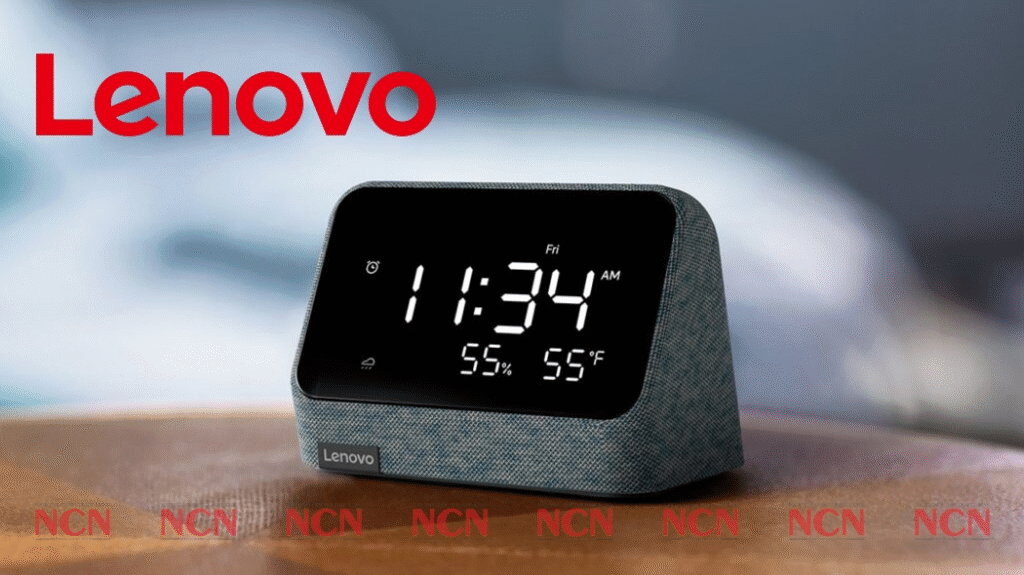
The Lenovo Smart Clock Essential is a compact device combining a simple digital clock, a modest speaker, and a built-in voice assistant (Google Assistant). It’s designed to sit on a bedside table, shelf or desk, and serve as a convenient “smart alarm clock + assistant + night-light + charger” — for small spaces or for users who want the convenience of a smart speaker without the complexity (or bulk) of a full smart display. Gadgets 360+2ciotechoutlook.com+2
Because it uses a basic monochrome LED display instead of a touchscreen/color display, the Essential is a pared-down, more affordable variant of its fuller-featured counterparts from the same brand. Gadgets 360+2TechHive+2
Design & Build Quality
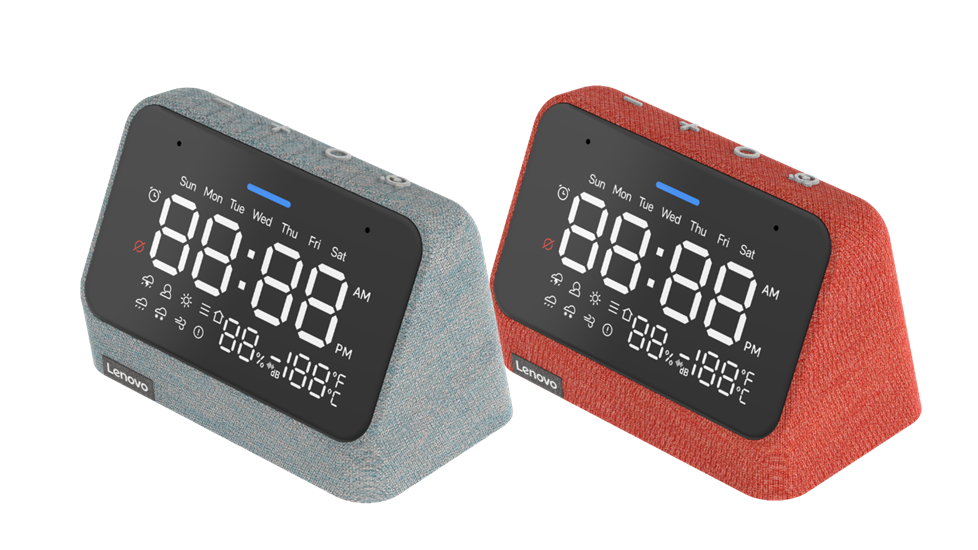
- The front is dominated by a 4-inch LED, non-touch, monochrome display that shows time, day, weather (temperature/conditions), and alarm status/icons. Gadgets 360+2B&H Photo Video+2
- The body is wrapped in fabric, giving it a soft and understated appearance — suitable for bedrooms or living spaces without looking like a gadget. TechHive+1
- Its overall dimensions are roughly 121 × 64 × 83 mm. B&H Photo Video+1
- On the underside there are rubber grips to keep it stable when placed on a flat surface. Gadgets 360
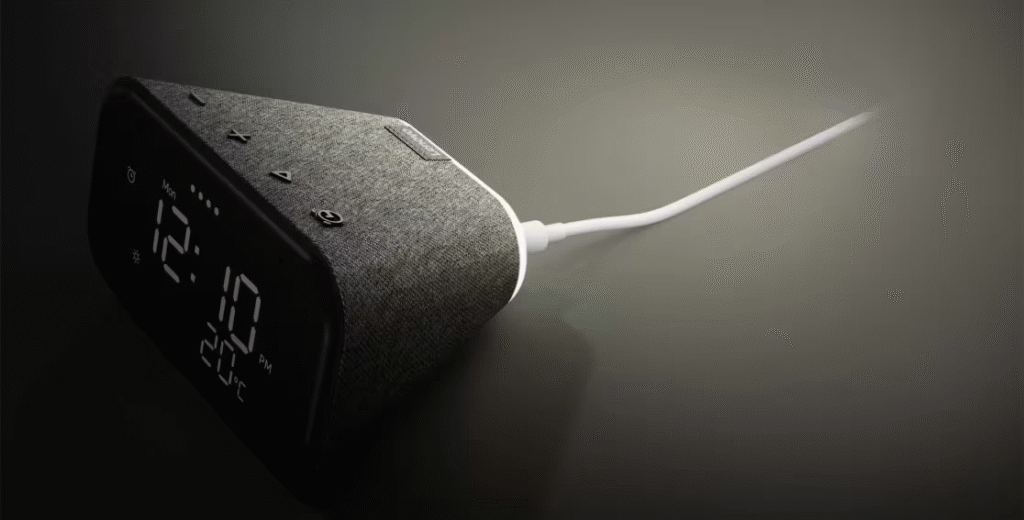
- On top are physical buttons: volume up/down, play/pause (for media), and alarm control. B&H Photo Video+1
- At the back, there is a microphone-mute switch (for privacy) and a USB Type-A port — allowing you to charge your phone or another device overnight. B&H Photo Video+1
- The display tilts slightly upward, making it easier to read from a bed or seating area. Gadgets 360+1
Overall, the design aims for practicality: unobtrusive, clean, and focused on essentials rather than flashy features.
Performance Test (Real-world Use)
From reviews and tests done by reviewers:
- The display is bright and clear enough to read from across the room; in a dark room it dims suitably (you can adjust brightness via voice). Gadgets 360+2TechHive+2
- The built-in speaker outputs around 3 W (via a 1.5″ full-range driver), which suffices for voice responses, alarms, podcasts or occasional audio — but not for high-quality music listening. B&H Photo Video+2Gadgets 360+2
- For voice assistant usage — asking for weather, setting alarms/timers, controlling smart home devices, managing reminders/shopping lists — Google Assistant performs reliably, as on any other smart speaker. ciotechoutlook.com+1
- Night-light feature (rear light) works as a soft ambient light at night — useful for minimal light when getting up, without needing room lighting. Gadgets 360+1
- Connectivity (Wi-Fi dual-band, Bluetooth 5.0) allows streaming from phone or other devices and connecting smart-home appliances over the network. B&H Photo Video+1
- Because there is no touchscreen / full display UI, all controls are via voice commands or the physical buttons — for many basic tasks that works, though some functions (like alarm scheduling) are easier via voice than manual button-pressing. Gadgets 360+1
In short: it does the job expected of a “smart clock / assistant” reliably, but audio performance and UI are modest — suitable for basic use, not as a primary music speaker or media hub.
Features Explanation
Here is a breakdown of the core features and how they are useful:
| Feature | What it does / When useful |
|---|---|
| LED time/weather/day display (4″) | Lets you quickly glance at time, day, outside weather or alarm status — ideal bedside or kitchen glance-ins. Gadgets 360+1 |
| Built-in Google Assistant | Voice-controlled assistant: set alarms, timers, reminders; ask for weather/news; manage to-do/shopping lists; control compatible smart-home devices like lights, plugs, etc. ciotechoutlook.com+2Gadgets 360+2 |
| Speaker (3 W) + Mic array (2 microphones) | Use for music, podcasts, news, voice queries; alarms and spoken responses. Mic array picks up “Hey Google” / “OK Google” even from a reasonable distance. B&H Photo Video+1 |
| Night-light (rear LED) | Provides soft light at night — useful for moving around at night without harsh lights, or as a subtle bedroom light. Gadgets 360+1 |
| Built-in USB charging port | Lets you charge a phone, smartwatch or other small device — useful for bedside charging without extra chargers. TechHive+1 |
| Connectivity: Wi-Fi (dual band) + Bluetooth 5.0 | Wi-Fi lets the clock use Google Assistant, get weather/updates, stream music; Bluetooth allows streaming from nearby devices. B&H Photo Video+1 |
| Simple manual controls (buttons) + mute switch | Volume, play/pause, alarm, and mic-mute for privacy. Useful fallback if voice commands not convenient. B&H Photo Video+1 |
Because the display is minimalistic and non-touch, there is no video playback, no rich UI, no interactive display elements — the device emphasizes simplicity and minimal distraction. TechHive+2Gadgets 360+2
Pros & Cons
Pros:
- Simple, clean and unobtrusive design — fits nicely on bedside tables or small shelves. Gadgets 360+2TechHive+2
- Useful LED display for time, day, weather and alarm status — quick glance information. Gadgets 360+1
- Built-in Google Assistant — full voice control, smart-home integration, alarms/timers, reminders, etc. ciotechoutlook.com+2Gadgets 360+2
- Night-light feature — gentle ambient light at night, handy for bedroom use. Gadgets 360+1
- USB charging port — makes it a convenient bedside companion charging your phone overnight. B&H Photo Video+1
- Low-cost compared to full smart displays or larger smart speakers — good for budget-conscious buyers wanting basic smart features. Gadgets 360+2Flipkart+2
Cons / Limitations:
- Sound quality is modest: the 3 W speaker is fine for alarms, voice, podcasts — but lacks bass and richness for music, especially at higher volumes. Gadgets 360+2TechHive+2
- No touchscreen / color display — means you won’t get media preview, video, photos, smart-display features, or direct on-screen controls. TechHive+1
- Alarms and settings are not always convenient to manage manually; using voice commands is smoother. Gadgets 360+1
- Microphone pickup can be finicky if there are other voice-assistant devices around (overlap, confusion about which device responds). Gadgets 360+1
- As a speaker, audio performance is limited — poor for music lovers expecting deep, rich sound. Gadgets 360+1
- Because it depends on mains power (plug-in), in a power cut it will turn off — no internal battery or backup. Best Buy+1
Price & Value
- In India, at one point the device was offered around ₹4,499. Gadgets 360+1
- Online deals have occasionally brought the price lower (sometimes under ₹2,000 in sale offers) for certain retailers. Flipkart+1
- Considering what you get — clock, Google Assistant, speaker, night-light, USB charging, and smart-home integration — the device offers good value for someone who wants a simple, affordable smart bedside/table-top gadget. Its minimal design and limited features are part of the tradeoff for a lower price.
Comparison (What It Is — and What It Is Not)
Compared with “full-fledged” smart displays or smart speakers with richer features:
- Unlike a smart display (with touchscreen, video, photos, interactive UI), the Smart Clock Essential offers only a basic monochrome LED display — so no video calls, photo frames, or visual smart-home dashboards. TechHive+2Gadgets 360+2
- Its speaker system is modest — so while fine for voice assistant responses, alarms, podcasts or casual audio, it’s not ideal for serious music listening or rich multimedia. Gadgets 360+2TechHive+2
- On the other hand, it is more compact, simpler and cheaper than most smart displays — helpful for bedrooms, small rooms or minimal setups. Gadgets 360+2ciotechoutlook.com+2
- If you have multiple smart home devices, this clock can act as a voice-control hub — but it won’t replace a full smart-home controller with a display. ciotechoutlook.com+1
In essence, it should be viewed as a smart-enabled alarm clock and minimal speaker — not as a media centre or a full smart-home display.
Final Verdict
The Lenovo Smart Clock Essential delivers what it promises: a no-frills, affordable “smart clock + Google Assistant + speaker + night-light + charger” combo. It’s especially suited for bedrooms, small rooms, or as a simple bedside smart device.
If you value simplicity, low cost, basic smart features and minimal design, the device represents very good value. It’s perfect for voice-controlled alarms, reminders, quick queries, weather updates, and basic music or podcast listening.
However, if you’re looking for rich audio for music, or expecting touchscreen, video, photo-display, or advanced smart-home interface, then this is not the right device — you should look for a more capable smart speaker or a full smart display instead.
In short: good for what it is — a smart, basic bedside clock and assistant — but not a substitute for a full-featured smart speaker or display.
#LenovoSmartClockEssential #SmartHomeDevices #GoogleAssistant #SmartSpeaker #TechReview #SmartClock #VoiceAssistant #HomeAutomation #BedsideTech #GadgetReview #MinimalTech #Anslation #Carrerbook